 Vivi plugins
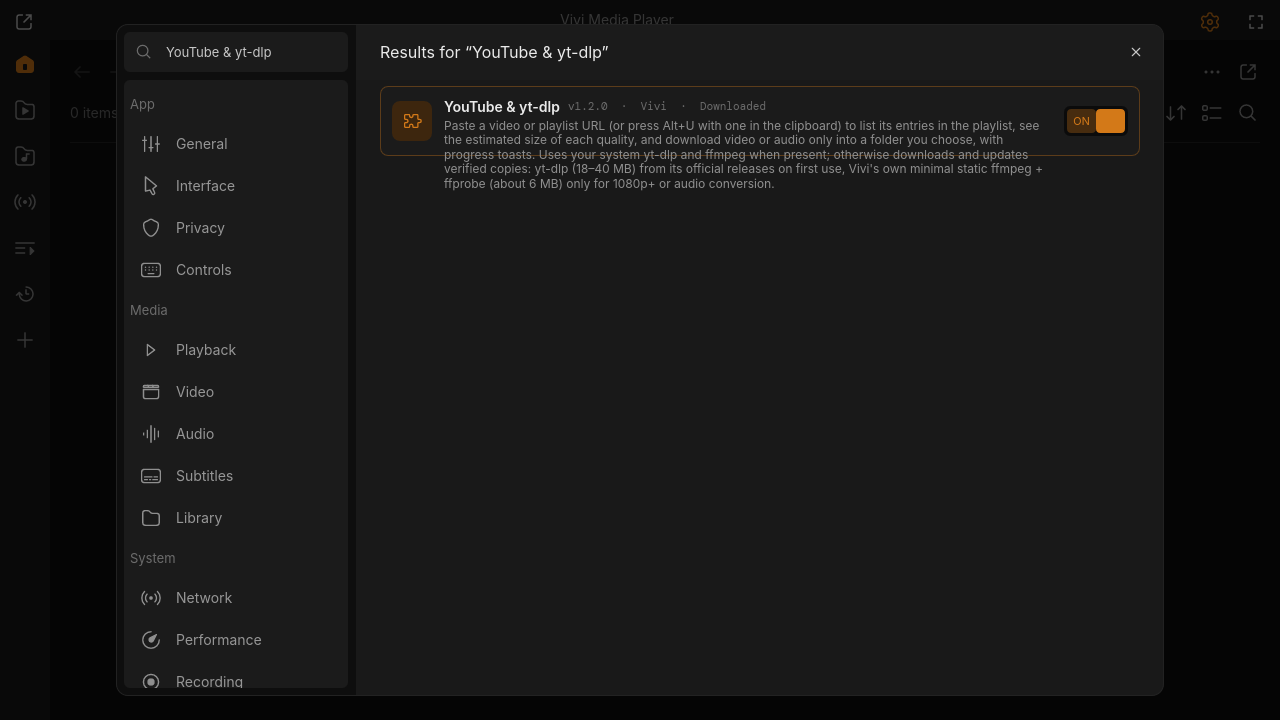
YouTube & yt-dlp
Paste a video or playlist URL (or press Alt+U with one in the clipboard) to list its entries in the playlist, see the estimated size of each quality, and download video or audio only into a folder you choose, with progress toasts. Uses your system yt-dlp and ffmpeg when present; otherwise downloads and updates verified copies: yt-dlp (18–40 MB) from its official releases on first use, Vivi's own minimal static ffmpeg + ffprobe (about 6 MB) only for 1080p+ or audio conversion.
"Open in Vivi" shows the plugin in Settings → Extensions → Browse, where you confirm its permissions and install it.
Needs Vivi 0.9.1 or newer. No Vivi yet? curl -fsSL https://viviplayer.app/install.sh | sh
Screenshots
Changelog
- v1.2.0 · download zip · latest
Managed ffmpeg is Vivi's minimal static build (about 6 MB instead of 150 MB), checksums pinned.
- v1.1.2 · download zip
Declares the pkgdir option (no 'unknown key' warning).
- v1.1.1 · download zip
Short size note in Browse; sizes moved to the description.
- v1.1.0 · download zip
Downloads ffmpeg on demand.
- v1.0.0 · download zip
First release: YouTube and yt-dlp support.
Permissions
- Internet access
- Reads and writes files outside its folder
- Runs other programs
Settings
- Video or playlist URL (Alt+U pastes from the clipboard) (text)
- Download quality (choice)
- Download (choice)
- Audio-only format (mp3/m4a/opus use ffmpeg, downloaded if missing) (choice)
- Download folder (empty: Downloads/Vivi) (text)
- yt-dlp to use (choice)
- Update the managed yt-dlp daily (and ffmpeg monthly) (toggle)